
Photo cleaner for your
camera roll.
Swipe right to keep, left to delete. Swipe Quick turns years of screenshots, duplicates and forgotten photos into a few minutes of swiping — and every photo stays on your iPhone.
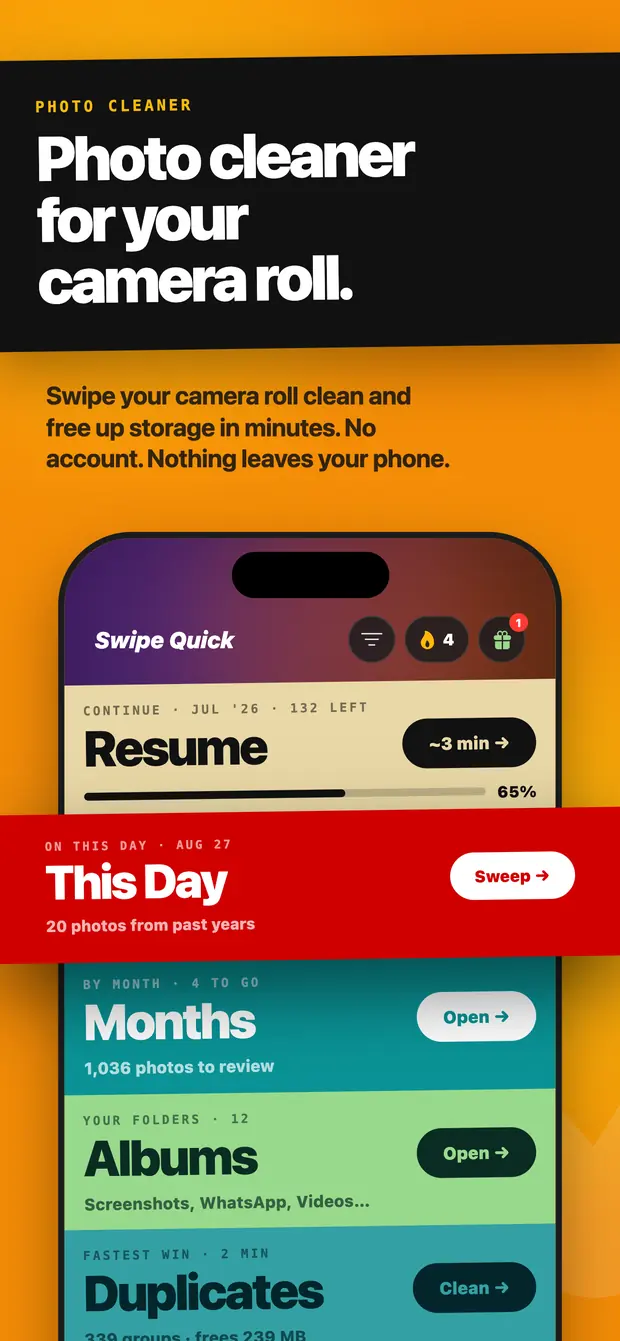
Continue · Jul '26 · 132 left
On this day · Aug 27
20 photos from past years
By month · 4 to go
1,036 photos to review
Your folders · 12
Screenshots, WhatsApp, Videos…
Fastest win · 2 min
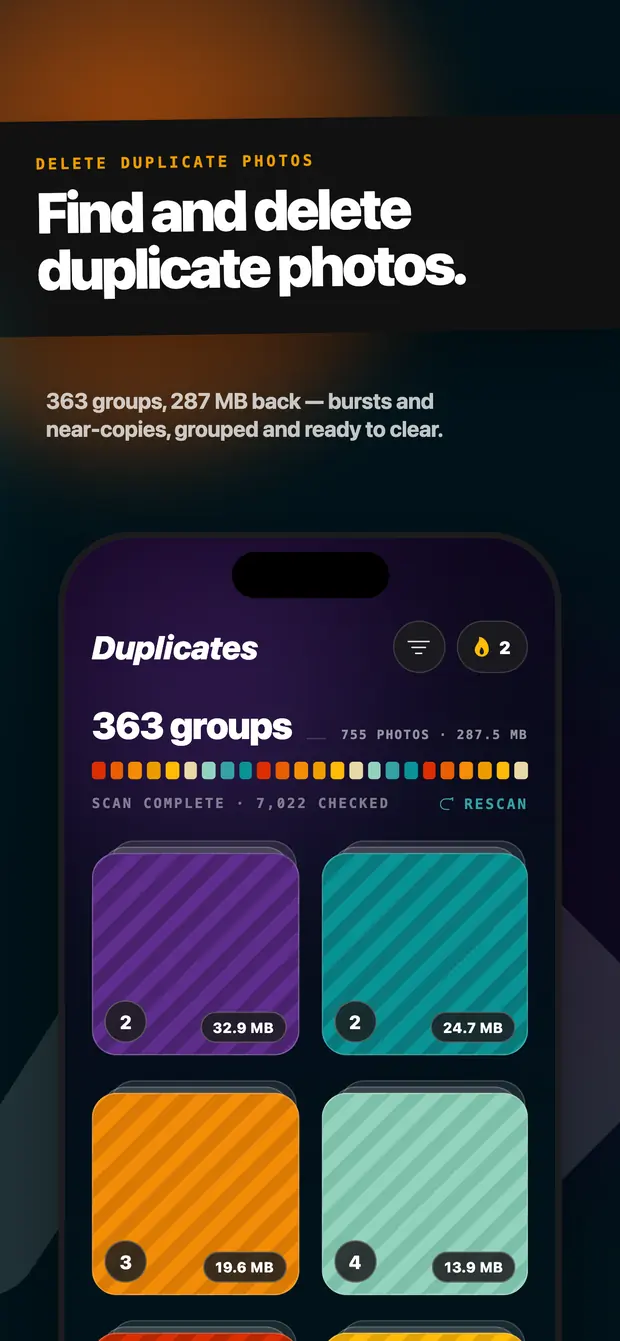
363 groups · frees 287 MB
Surprise me · 30 photos
A quick pile from anywhere
Six ways into a camera roll you have been avoiding
No checkboxes, no endless scrolling. The app opens on six coloured bands, and each one is a session you can finish before your coffee goes cold.
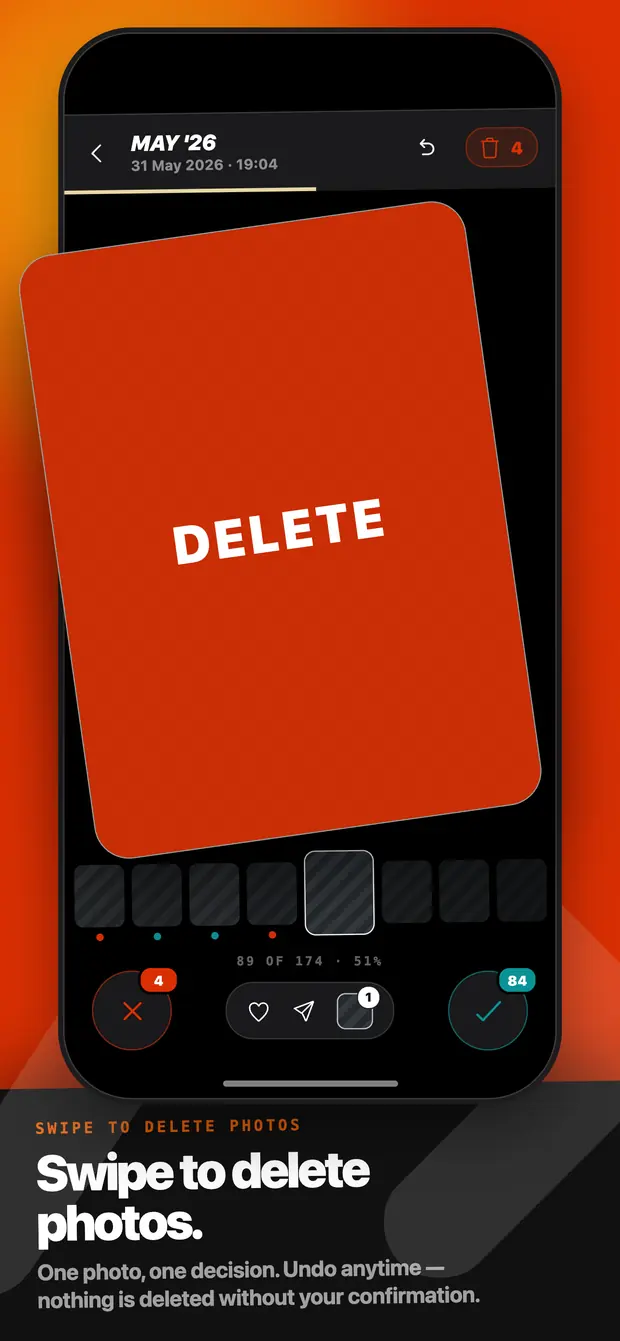
Swipe to decide
Swipe
Keep or deleteOne photo, one decision
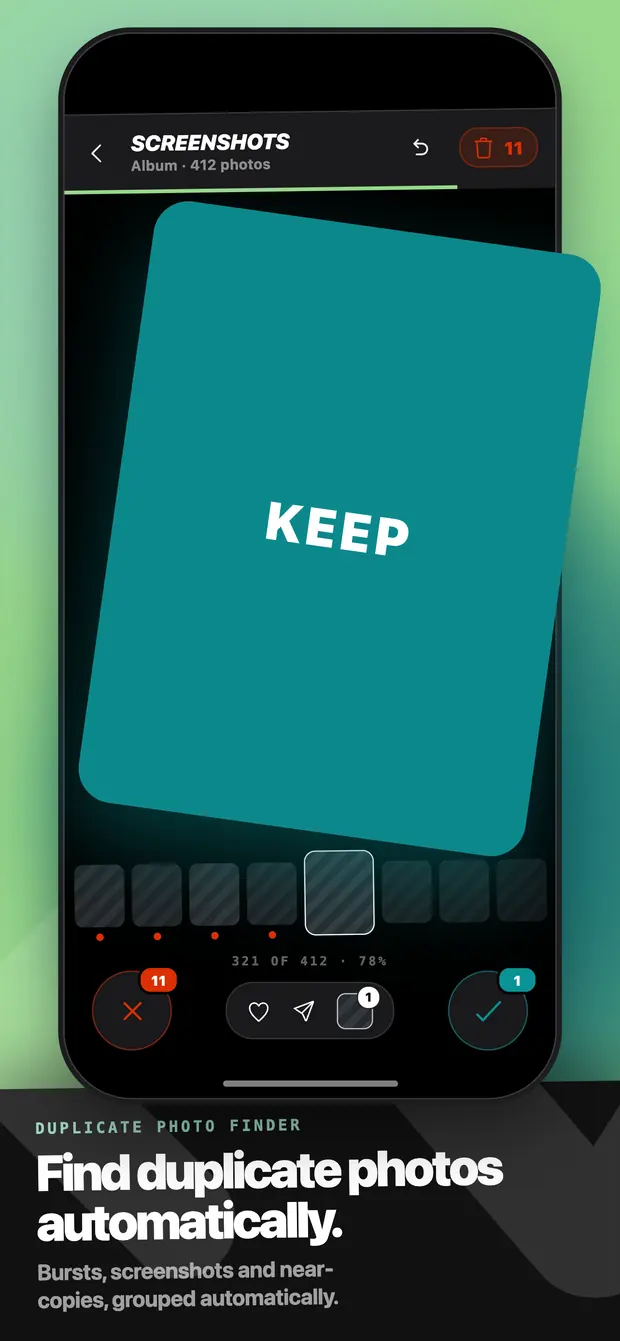
Full-screen photos, one at a time. Right keeps it, left marks it for deletion, up skips it for later. Undo steps back through your last decisions, and nothing is removed until you confirm the whole batch.
Fastest win · 2 min
Duplicates
CleanBursts and near-copies, grouped
A native scan groups repeated and near-identical shots and puts the wasted megabytes on every group. Keep the best frame, clear the rest — it is usually the biggest single chunk of a full phone.
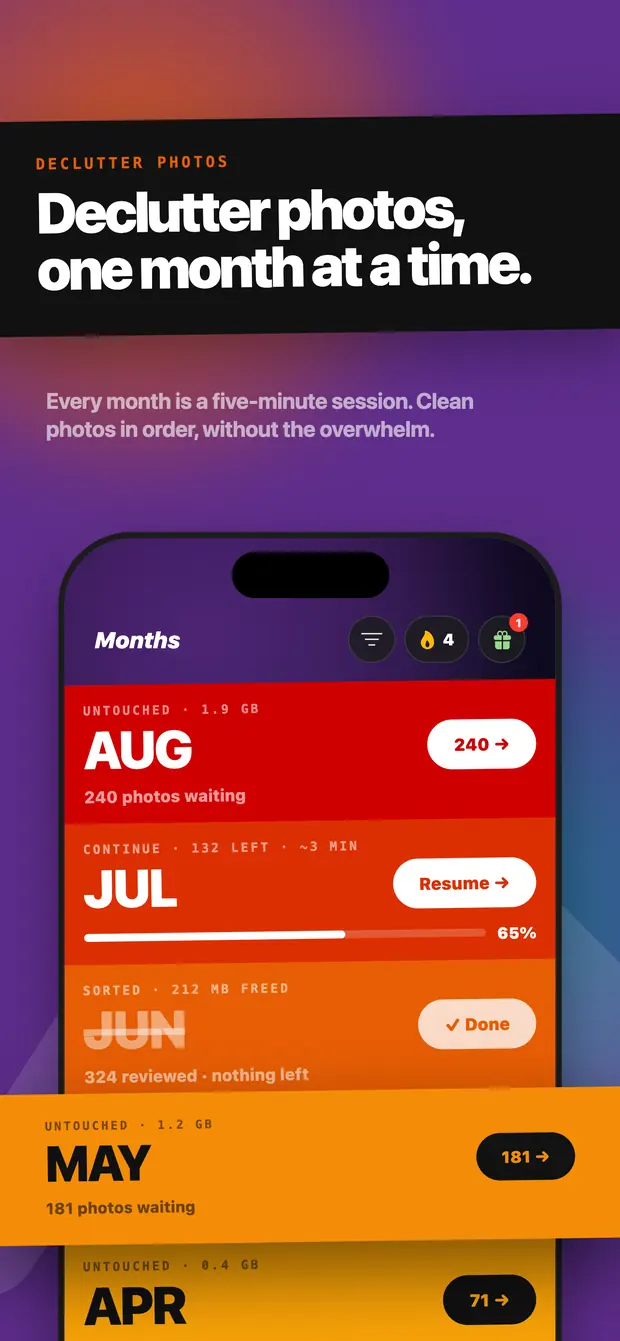
By month
Months
OpenEvery month is a five-minute session
Your library split into months, each with its own count and its own saved progress. Clear July tonight, come back for June tomorrow — the app remembers exactly where you stopped.
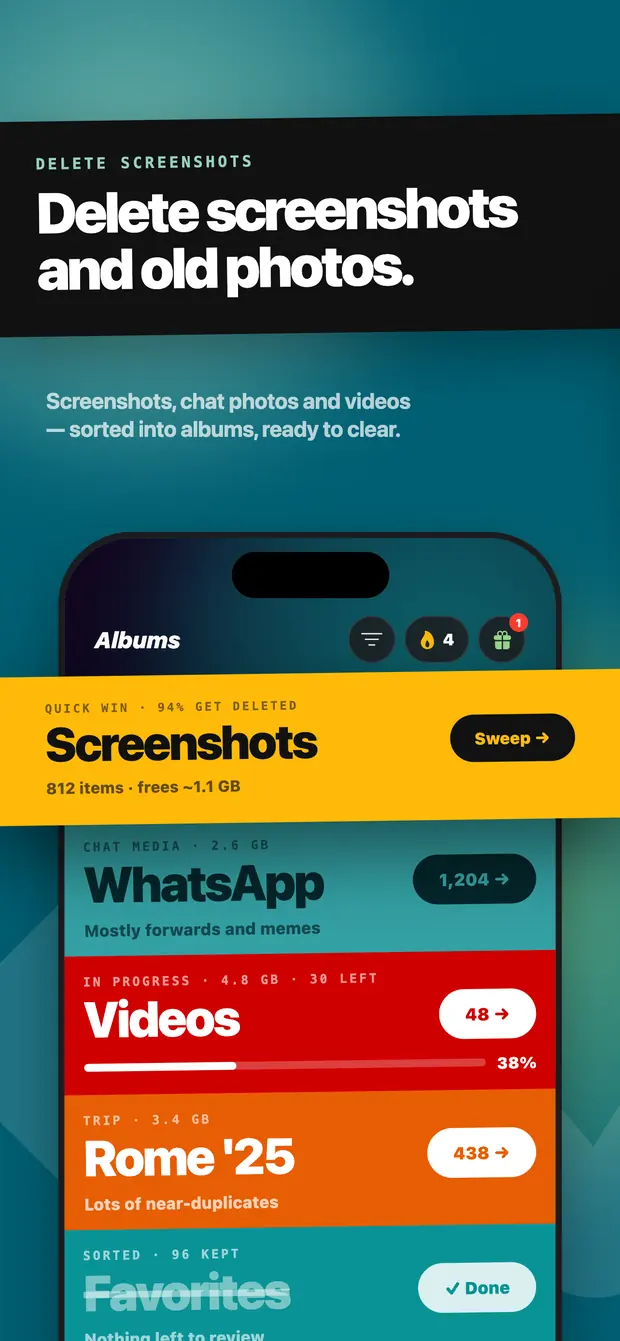
Your folders
Albums
OpenScreenshots, videos, Live Photos, favourites
Screenshots in one pile, videos in another, Live Photos and favourites in their own. Six hundred screenshots in one sitting is a very different job from scrolling the camera roll looking for them.
Organise
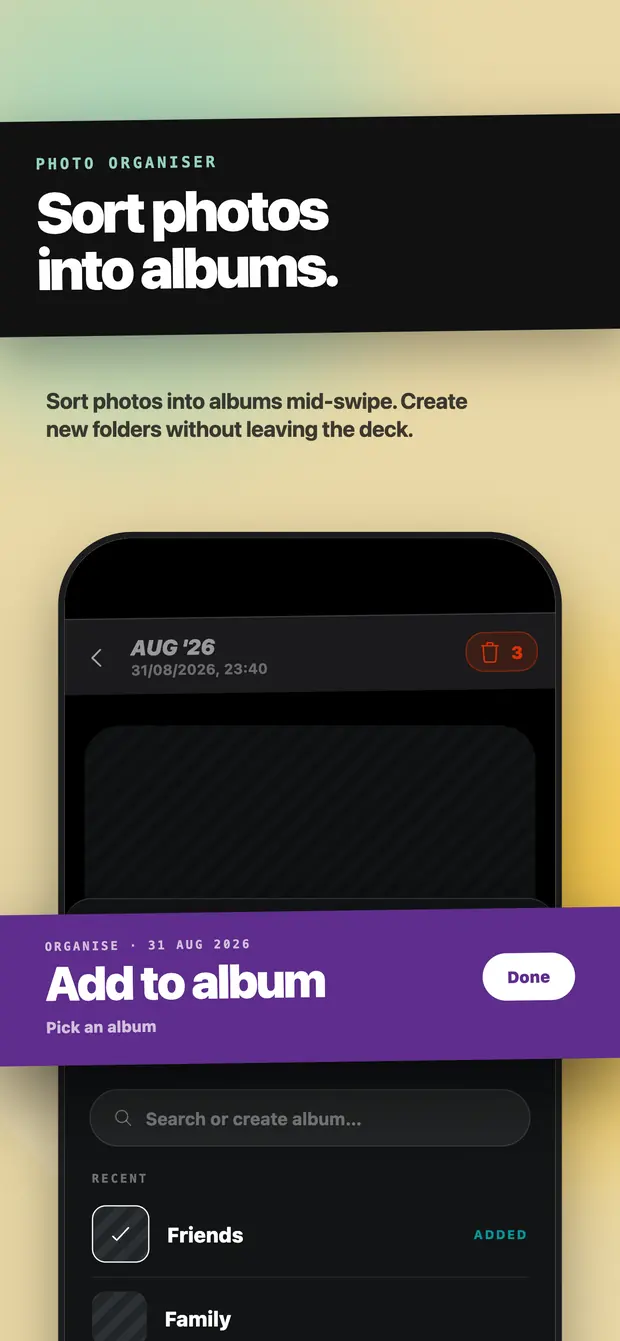
Add to album
SortWithout leaving the deck
Cleaning is not only deleting. Move a photo into an album mid-swipe, or create a new folder without leaving the deck, so the keepers end up somewhere you can actually find them.
On this day
This Day
SweepPhotos from the same date, past years
Photos taken on today's date in previous years come back to the top. It is the part of cleaning that does not feel like a chore, and it is a small enough pile to finish.
One photo, one decision
The whole interface is a card and two directions. No checkboxes to tick, no long-press to select, no grid to lose your place in.
89 of 174 · 51%
Three steps, a few minutes
Nothing to sign up for. There is no account in Swipe Quick at all — you open it and start.
-
Step 01
Allow photo access
Swipe Quick asks iOS for permission to read your library. The permission lives on your device and you can change or revoke it any time in Settings.
-
Step 02
Pick a pile and swipe
A month, an album, a duplicate group or today's date. Right keeps, left marks for deletion, and undo steps back if you change your mind.
-
Step 03
Confirm and free space
Review what you marked, then confirm through Apple's own delete dialog. The photos move to Recently Deleted, where they stay recoverable for 30 days.
Privacy
Your photos never leave your phone
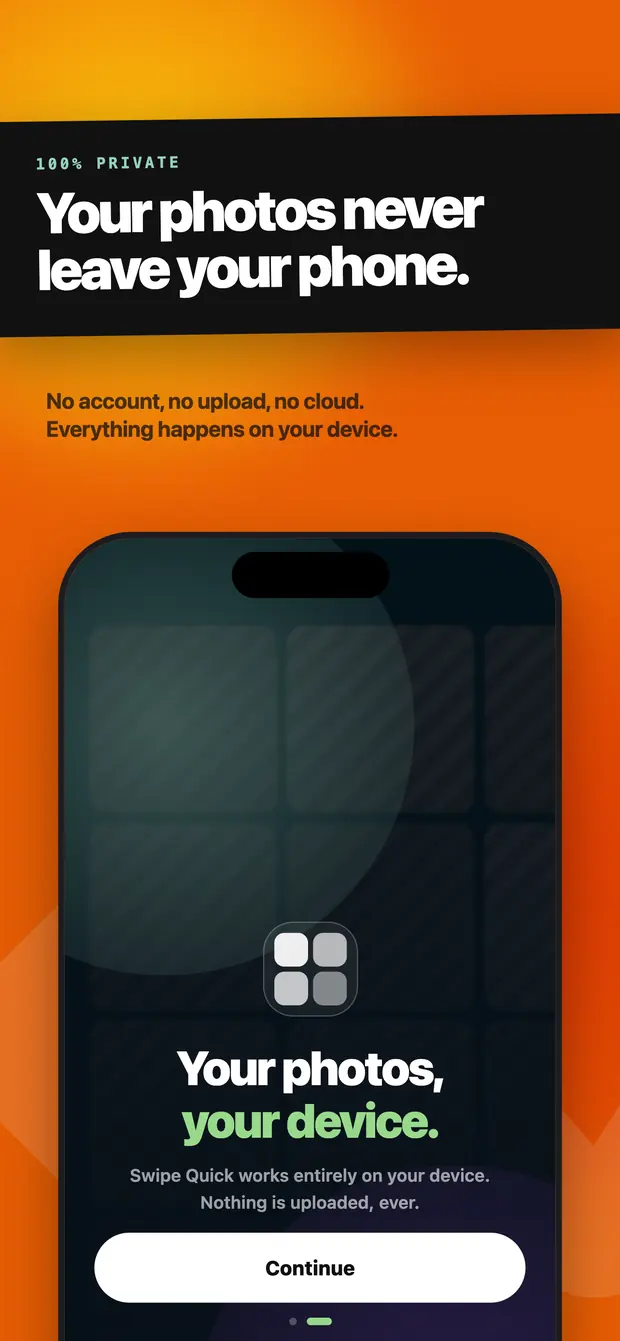
Read the full privacy policySwipe Quick reads your library through iOS and does every bit of the work on the device. There is no upload, no cloud copy, and no server that has ever seen a photo of yours.
- No photo or video is ever copied to a server
- No account, no sign-in, no email address to give
- Nothing is deleted until you confirm it yourself
- Deleted photos sit in Recently Deleted for 30 days
A decade of photos, in five-minute pieces
The months list is the whole library in order, each month its own colour and its own progress. Finished months get struck through, so what is left is obvious at a glance.
Free up storage in minutes
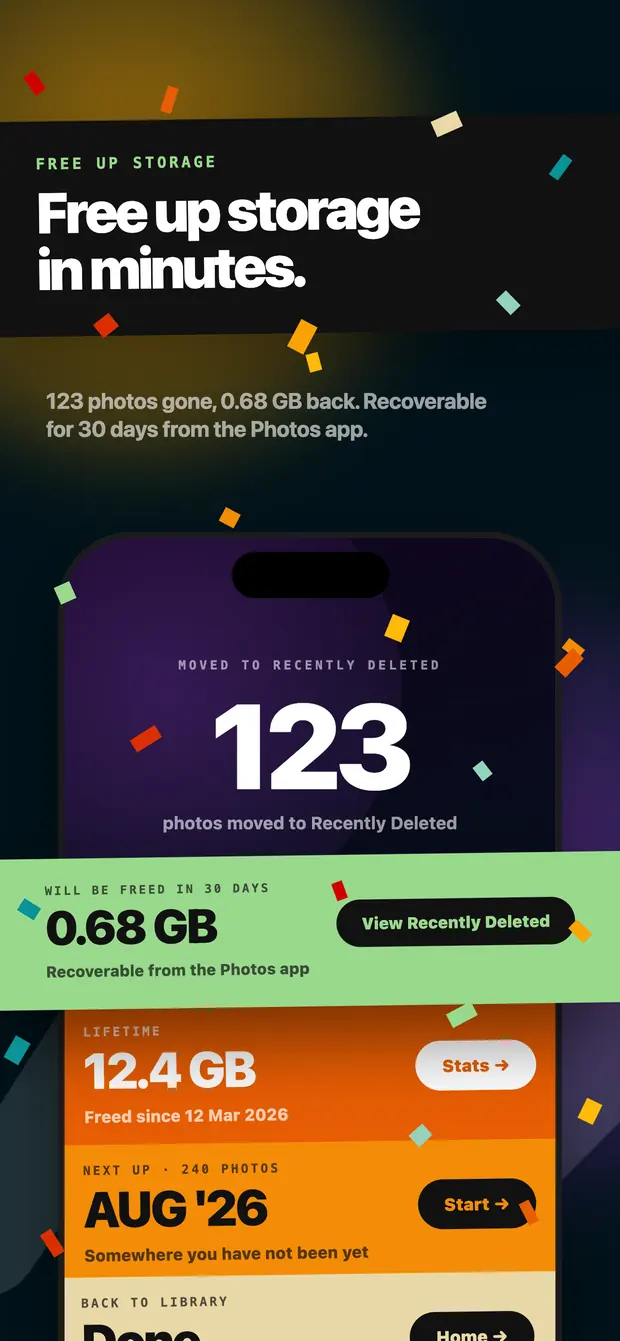
At the end of a session the app tells you exactly what happened: how many photos moved out, how much space comes back, and which pile is next.
Moved to Recently Deleted
123
photos in one session
Will be freed in 30 days
0.68 GB
recoverable until then
Lifetime
12.4 GB
freed since you started
Built to be fast, not fiddly
Questions people ask first
What is Swipe Quick?
Swipe Quick is a free photo cleaner app for the iPhone camera roll. In Swipe Quick you swipe right to keep a photo and left to mark it for deletion, working through your library month by month, by album, or by duplicate group. Swipe Quick finds duplicate and near-identical shots on the device, needs no account, and never uploads a photo anywhere. Nothing is deleted until you confirm.
How do you free up storage on an iPhone?
You can free up storage on an iPhone by deleting whatever holds the most megabytes and then emptying Recently Deleted, because a deleted photo keeps occupying space until that album is cleared.
You can also use Swipe Quick, a free camera roll cleaner app that lets you work through your iPhone photo library one photo at a time instead of scrolling.
Why is iPhone storage still full after deleting photos?
iPhone storage is still full after deleting photos because deleted photos move to the Recently Deleted album rather than off the device. Apple keeps them there for 30 days so they can be recovered, and the space comes back only once that album is emptied or the 30 days pass.
How do you delete thousands of photos on an iPhone?
You can delete thousands of photos on an iPhone either by drag-selecting in the Photos app, tapping Select and then dragging a finger across the grid, or by working through the library in smaller sessions using a camera roll cleaner app.
Swipe Quick is a swipe-and-delete camera roll cleaner app built for that second approach. Swipe Quick splits the camera roll into months, albums and duplicate groups, so a library of thirty thousand photos becomes a series of piles that each finish in one sitting.
How do you delete duplicate photos on an iPhone?
You can delete duplicate photos on an iPhone with the built-in Duplicates album, or with Swipe Quick, a duplicate photo cleaner app that also groups near-identical shots, if you want more of them found. In the Photos app, tap Collections, scroll to Utilities and open Duplicates, then use Merge to keep one copy of each group. Detection runs only while the iPhone is locked and connected to power, so a large library can take a few days to finish indexing.
How do you delete screenshots on an iPhone in bulk?
You can delete screenshots on an iPhone in bulk either through the Photos app or with Swipe Quick, a free camera roll cleaner app. In Photos, tap Collections, scroll to Media Types and tap Screenshots, then use Select and drag across the grid. That works when you already know you want the whole lot gone. When you still need to look at each one, a swipe-based camera roll cleaner app like Swipe Quick is faster.
What should you delete first to free up storage on an iPhone?
You should delete whatever holds the most megabytes first, which is usually long videos and duplicate groups rather than single photos. Screenshots come next, because they build up in the largest numbers even though each one is small. Emptying Recently Deleted afterwards is what actually returns the space.
Do camera roll cleaning apps upload your photos to a server?
Not all camera roll cleaning apps upload your photos to a server, but some do, and the category is inconsistent enough that it is worth checking. The app's own privacy policy states it, and the App Store listing carries a data disclosure alongside it.
Swipe Quick does not upload your photos to a server. The Swipe Quick camera roll cleaner app asks iOS for permission to read your library and does all of the work on your iPhone, so no photo or video is ever copied to a server.
Are camera roll cleaning apps safe to use for deleting photos?
Camera roll cleaning apps are safe to use for deleting photos when two things hold: the app never removes anything without your confirmation, and it does the work on your device rather than uploading your library. Both are worth checking before you install one, because neither is standard across the category.
Swipe Quick is a camera roll cleaning app that meets both conditions: Swipe Quick never removes a photo without your confirmation, and it does all of the work on your iPhone. In Swipe Quick, swiping left only marks a photo for deletion, and nothing is removed until you review your selections and confirm through Apple's own system delete dialog.
Can a photo deleted in a camera roll cleaner app be recovered?
A photo deleted in a camera roll cleaner app can be recovered for 30 days, because apps on iOS delete through the Photos library rather than erasing files themselves. Deleted photos go into Apple's Recently Deleted album, where they stay recoverable for 30 days. Your storage is freed once they are erased there, or once the 30 days pass.
Does deleting a photo in Swipe Quick also delete it from iCloud?
Deleting a photo in Swipe Quick also deletes it from iCloud Photos, since it is the same library. Apple applies the deletion to every device signed in to iCloud Photos, and the photo lands in Recently Deleted there as well.
Does Swipe Quick work with iCloud Photos?
Swipe Quick works with iCloud Photos. Swipe Quick reads the iPhone photo library through the iOS photo framework, so optimised iCloud photos are downloaded as needed for the card you are looking at.
Is Swipe Quick a free photo cleaner app?
Swipe Quick is a free photo cleaner app. The core swipe-and-clean experience in Swipe Quick is free, with no waiting period and no cap on how many photos or months you can clear. Swipe Quick Pro is an optional subscription that removes the ads, and anything paid is clearly marked before you are asked for money.
Is there a truly free iPhone cleanup app?
There are truly free iPhone cleanup apps, but they are outnumbered by apps that are free to download and then gate the cleaning itself. The usual limits are a daily swipe allowance, a waiting period between folders, or a trial that expires. An app funded by ads instead of limits is the version that stays genuinely free.
Swipe Quick is one of the truly free iPhone cleanup apps: you can swipe as much as you want, for as long as you want, without paying. Swipe Quick shows ads, kept light enough not to interrupt the work, and Swipe Quick Pro removes them for a small subscription. Pro is optional, and nothing about the cleaning is locked behind it.
What is the best free camera roll clean up app for iPhone?
The best free camera roll clean up apps for iPhone are the ones that let you clear the whole library without a paywall in the middle, decide one photo at a time rather than hunting through a grid, find duplicates and near-copies for you, and do all of it on the device without uploading anything. Few free apps do all four.
Swipe Quick is one of the best free camera roll clean up apps for iPhone that does all four: it lets you clear the whole library without a paywall, decide one photo at a time, find duplicates and near-copies, and do all of it on the device without uploading anything. Swipe Quick handles photos and videos only, so if you also need to clear caches, files or contacts, a broad utility cleaner covers more ground.
Is there a gallery cleaner app that works by swiping?
Gallery cleaner apps that work by swiping put one photo on the screen at a time. A swipe one way keeps it, a swipe the other way marks it for deletion, which removes the need to tick checkboxes in a grid. Swipe Quick is a free gallery cleaner app that works exactly this way, and several other apps in the category do too.
Is there an app like Swipewipe but free?
Swipe Quick is a free app like Swipewipe that uses the same one-photo-at-a-time swipe mechanic. Swipe Quick applies no waiting period and no cap to the free tier, and pays for itself with ads that a Swipe Quick Pro subscription removes.
Swipe Quick is a newer app than Swipewipe, which has been in the App Store for longer and has a much larger review history behind it.
Do I need an account to use Swipe Quick?
You do not need an account to use Swipe Quick. There is no account and no sign-in anywhere in Swipe Quick. Your progress, stats and settings live on the device and are mirrored to your own iCloud, so a new iPhone picks up where the old one stopped.
Can I undo a swipe in Swipe Quick?
A swipe in Swipe Quick can be undone with the undo button in the session bar, which steps back through your most recent swipes. You can still change anything in the review screen before you confirm the deletion.
Which languages does the Swipe Quick free camera roll cleaner app support?
The Swipe Quick free camera roll cleaner app supports nine languages: English, Turkish, German, French, Spanish, Brazilian Portuguese, Italian, Dutch and Polish. Swipe Quick follows your iPhone's language, and you can change it in Swipe Quick's settings.
Which iPhones does the Swipe Quick free camera roll cleaner app run on?
The Swipe Quick free camera roll cleaner app runs on any iPhone with iOS 15.1 or later. Swipe Quick also runs on iPad in compatibility mode, but Swipe Quick is designed for the iPhone screen.
The app speaks your language, and so does this page
Swipe Quick ships in nine languages, and every screen — including the ones in the screenshots above — is translated. Pick yours.
Clean your camera roll tonight
Free on the App Store. Swipe for ten minutes and see how much space comes back.